
Latest Version
April 18, 2025
VECTOR LABS LIMITED
Simulation
iOS
0
Report a Problem
More About :game
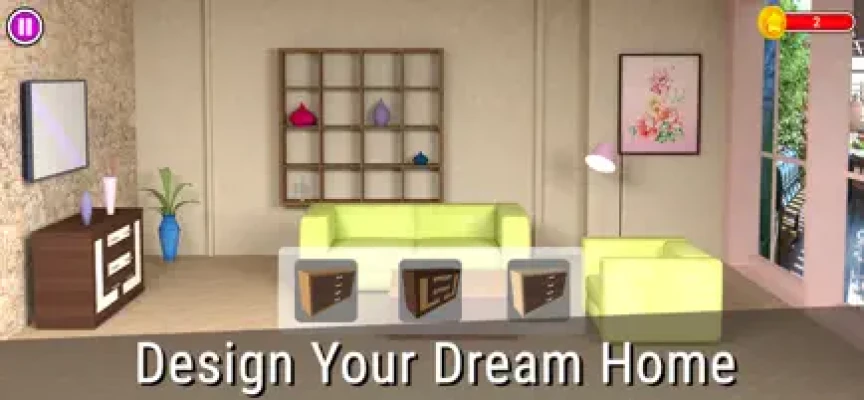
Design My Home 3D House Fliper is a casual simulation and home-design game from Vector Labs Limited. The game gives players the opportunity to step into the role of an interior decorator and transform ordinary spaces into personalized homes.
Instead of focusing solely on decoration, the game combines home renovation with puzzle gameplay. Players can complete colorful matching challenges and use their progress to improve rooms, unlock items, and create different interior styles.
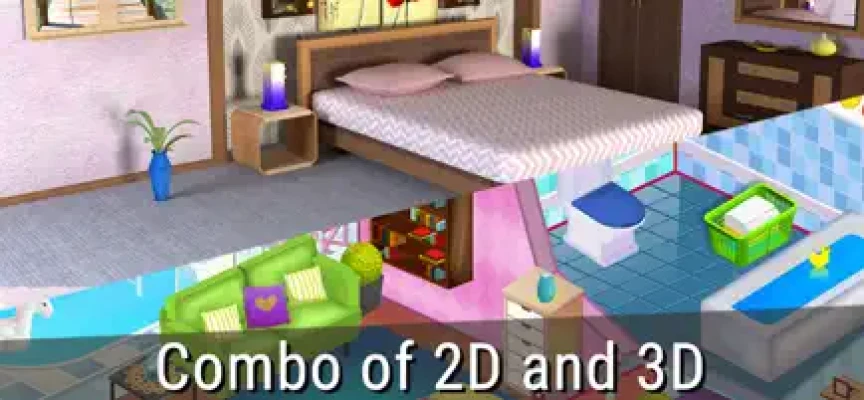
The game supports both 2D and 3D home-design experiences, giving players different ways to plan and visualize their creations.
How to Play Design My Home 3D
The basic gameplay is built around designing, decorating, and remodeling rooms.
Players can:
- Choose a design mode.
- Select a room or home area.
- Plan the room layout.
- Add furniture and decorations.
- Change colors and materials.
- Resize and reposition objects.
- Complete puzzle activities.
- Unlock additional design items.
- Remodel the home.
- Save completed designs.
- Share designs through social platforms.
The touch-based interface makes it easy to drag and place objects around a room, allowing you to experiment with different layouts without complicated controls.
2D Home Design Mode
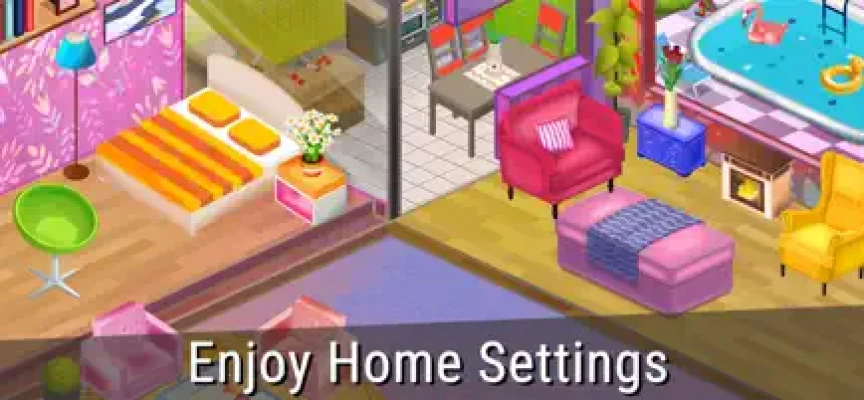
The 2D design mode provides a straightforward way to plan rooms.
Players can trace rooms and add important elements such as:
- Beds
- Tables
- Doors
- Windows
- Furniture
- Decorative objects
This mode is useful when you want to focus on the overall layout before adding visual details.
The simple drag-and-drop system makes it accessible to players who are new to home-design games.
3D House Design
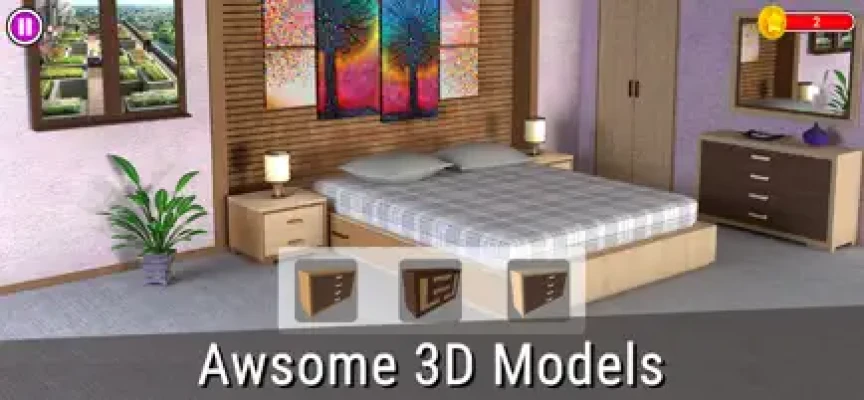
The 3D design feature gives the game a more visual approach to interior decoration.
Players can select rooms and place colored furniture using the game's design tools. This allows you to see how different furniture pieces and decorative choices work together within a three-dimensional environment.
The 3D feature is particularly useful when experimenting with room arrangements and creating a more complete vision of your dream home.
Home Renovation
Renovation is one of the central activities in Design My Home.
Rather than simply adding furniture to an empty room, you can transform different areas of the house and experiment with new styles.
The game includes opportunities to renovate:
- Living rooms
- Kitchens
- Bathrooms
- Bedrooms
- Exterior areas
Each space provides a different design challenge and allows you to experiment with furniture, colors, materials, and decorative elements.
Interior Design
Interior decoration is where Design My Home becomes especially creative.
You can combine different furniture pieces, colors, wall designs, curtains, and decorative objects to create a room that matches your preferred style.
The goal isn't simply to fill a room. The challenge is finding combinations that feel visually balanced.
You can experiment with:
- Modern interiors
- Comfortable family rooms
- Rustic kitchens
- Stylish bathrooms
- Chic bedrooms
- Colorful living spaces
Furniture Customization
Furniture plays an important role in the design process.
Players can select objects and position them around rooms. Many objects can also be resized, giving you greater control over the final layout.
This allows the same room to look completely different depending on the furniture arrangement.
A large sofa can create a comfortable living area, while smaller furniture pieces can leave more open space for decorations.
Colors and Materials
Color selection is another major part of the design experience.
You can experiment with different paint colors, wall designs, curtains, furniture colors, and other decorative materials.
Choosing complementary colors can make a room feel more coordinated, while contrasting colors can create a stronger visual identity.
Home Decoration Puzzle Gameplay
Design My Home combines decoration with colorful puzzle activities.
The puzzle element gives players another way to progress and earn resources that can be used for home design.
This combination means the game is not simply an interior-design sandbox. There is also a casual puzzle loop connected to the renovation process.
Match Puzzle Levels
The game includes colorful matching puzzle levels that can help you progress through the home-design experience.
These puzzles provide a change of pace from decorating rooms and give players another activity to complete between design decisions.
For players who enjoy both match puzzles and home renovation games, this hybrid structure can make the experience more varied.
Daily Design Challenges
Daily Design Challenges give players additional opportunities to practice their decorating skills.
Instead of repeatedly working on the same room style, daily challenges can encourage you to experiment with new ideas and approaches.
They are also a useful way to explore different combinations of furniture and decorative items.
Living Room Design
The living room is one of the main spaces available for customization.
You can experiment with furniture arrangements, colors, decorations, and different visual styles.
A good living-room design usually benefits from creating a clear focal point while leaving enough space for movement and complementary decorations.
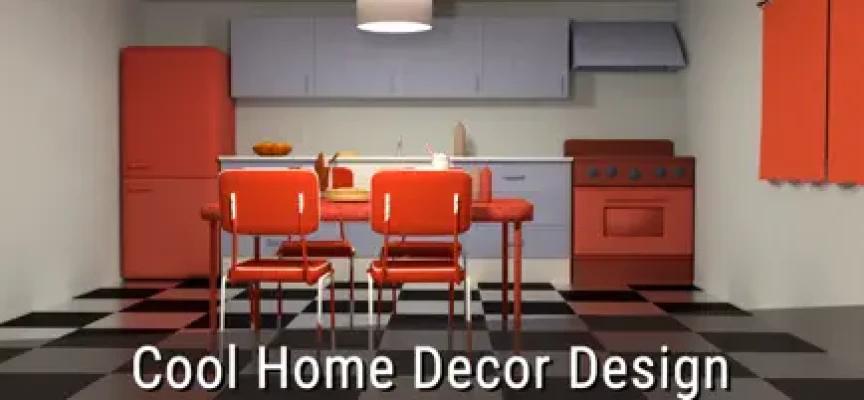
Kitchen Renovation
Kitchens offer a different design challenge from bedrooms and living rooms.
The focus can shift toward combining practical furniture arrangements with attractive colors and materials.
Rustic kitchen styles are specifically mentioned in the game's App Store description.
Bathroom Design
Bathrooms provide another space for experimenting with colors, furniture, and decorative elements.
The smaller room size can make object placement particularly important.
Carefully positioning furniture and decorations can help create a cleaner and more balanced appearance.
Bedroom Decoration
Bedrooms allow players to create more personal and comfortable spaces.
You can experiment with beds, furniture, colors, curtains, and other decorations to create different bedroom styles.
The game specifically highlights chic bedrooms as one of its design themes.
Exterior Home Design
Design My Home also allows players to work beyond individual rooms.
The game includes exterior renovation and 3D home remodeling features, allowing you to think about the property as a complete design project rather than a collection of separate rooms.
Dream Home Creation
The main appeal of Design My Home is the ability to gradually transform a property into a personalized dream home.
You control many of the visual choices, including:
- Furniture
- Colors
- Layout
- Decorations
- Wall designs
- Curtains
- Room styles
- Exterior elements
This makes each completed home a reflection of your design preferences.
House Flipping Experience
Although the game is primarily focused on home design and decoration, its house-flipping theme adds another layer to the experience.
The concept of taking an existing home and improving its appearance gives the game a makeover-oriented progression loop.
For fans of house flipper games, Design My Home provides a lighter and more casual alternative centered on decoration and creativity.
Voxel Coloring and Pixel Art
Design My Home also incorporates coloring-based activities.
Players can solve voxel coloring puzzles or pixel-art color-by-number activities to help unlock additional design resources and items.
This gives the game a relaxing creative activity outside traditional room decoration.
Unlocking Furniture and Items
Not every design item is immediately available.
Players can unlock additional content through gameplay, watching advertisements, or optional purchases.
The game also uses coloring activities as another way to obtain resources and unlock items.
This progression encourages players to keep completing different activities rather than relying on one gameplay system.
Saving and Sharing Designs
Once you have created a room or home that you like, Design My Home allows you to save your designs.
The game also supports sharing your home designs on social media, making it possible to show your decorating ideas to other people.
Relaxing Gameplay
Design My Home is designed as a casual and relaxing experience.
There is no emphasis on fast reflexes or intense competition. Instead, the game encourages players to take their time experimenting with furniture, colors, layouts, and decorations.
The combination of home design, puzzle levels, soothing music, and visual customization makes it suitable for short relaxing sessions.
Beginner's Guide
Start With the Layout
Before worrying about decorations, think about how much space each piece of furniture needs.
A good layout makes the room easier to decorate.
Choose a Style
Pick a general style before placing too many objects.
For example, you might choose a modern, rustic, comfortable, or colorful theme.
Match Your Colors
Try to use colors that complement each other.
Too many unrelated colors can make a room feel crowded.
Don't Overfill Rooms
Empty space can be just as important as furniture.
Leaving some open areas can make a room appear cleaner and more comfortable.
Experiment With Furniture
Don't be afraid to move objects around.
The drag-and-drop system makes it easy to test different layouts.
Use Puzzle Activities
Puzzle and coloring activities can provide additional resources for your design projects.
Advanced Design Tips
Create a Focal Point
Every room benefits from having one main visual focus.
A bed, sofa, dining table, or decorative feature can become the centerpiece.
Balance Large and Small Objects
Combining different furniture sizes can create a more natural-looking layout.
Use Complementary Colors
Instead of selecting every item independently, consider how colors work together across the entire room.
Think About Function
A beautiful room should still feel practical.
Furniture placement should leave enough room for movement and make sense for the room's purpose.
Don't Follow One Style Too Closely
Mixing compatible design elements can sometimes create a more interesting result than using identical furniture throughout the house.
Main Features
- 2D home design
- 3D home design
- House renovation
- Interior decoration
- Exterior remodeling
- Furniture customization
- Furniture resizing
- Drag-and-drop controls
- Color customization
- Wall designs
- Curtains and decorative items
- Living room design
- Kitchen renovation
- Bathroom decoration
- Bedroom design
- Colorful matching puzzles
- Voxel coloring puzzles
- Pixel-art color-by-number activities
- Daily Design Challenges
- Dream-home creation
- House-flipping theme
- Design saving
- Social sharing
- Optional item purchases
- iPhone and iPad support
These features are based on the current U.S. App Store listing.
Controls and Interface
The controls are designed around touch interaction.
The main actions include:
- Tapping design tools
- Selecting furniture
- Dragging objects
- Dropping objects into rooms
- Resizing items
- Choosing colors
- Switching between design modes
- Selecting rooms
- Completing puzzles
- Saving designs
The App Store specifically describes a finger-based drag-and-drop system for placing objects and furniture.
Game Difficulty
Design My Home is generally accessible to casual players.
The basic controls are simple, but creating attractive rooms requires more creativity and planning.
The challenge comes less from difficult controls and more from deciding:
- Where furniture should go
- Which colors work together
- How much decoration is appropriate
- How to organize limited space
- Which items to unlock
- How to approach each design challenge
Visual Style
The game focuses on colorful three-dimensional home environments.
Its visual design emphasizes furniture, rooms, decorations, architecture, and home makeovers rather than characters or combat.
The 3D presentation helps players visualize how furniture and decorative objects look together.
Audio Experience
The game includes soothing music designed to complement its relaxing home-design gameplay.
This helps reinforce the casual atmosphere and makes the game suitable for players looking for a slower-paced creative experience.
Progression System
Progression is connected to several activities.
Players can advance their home-design experience by:
- Completing puzzle activities.
- Earning additional resources.
- Unlocking design items.
- Completing design challenges.
- Renovating rooms.
- Creating larger home projects.
- Experimenting with different design styles.
This combination keeps progression connected to both the puzzle and decoration sides of the game.
Game Modes
2D Design Mode
Plan and decorate rooms using a simpler two-dimensional design approach.
3D Home Design
Place furniture and decorations inside three-dimensional spaces.
Puzzle Mode
Complete colorful matching challenges connected to the home makeover experience.
Coloring Activities
Use voxel and pixel-art coloring activities to obtain additional resources.
Daily Design Challenges
Take on additional design tasks and experiment with new decorating ideas.
Technical Information
Game: Design My Home 3D House Fliper
Developer: Vector Labs Limited
Category: Simulation
Platforms: iPhone, iPad, iPod touch, compatible Mac, and Apple Vision
Price: Free
In-App Purchases: Yes
Age Rating: 4+
Current App Size: 167.2 MB
Language: English
iOS Requirement: iOS 11.0 or later
iPadOS Requirement: iPadOS 11.0 or later
Mac Requirement: macOS 11.0 or later with Apple M1 chip or later
Vision Requirement: visionOS 1.0 or later
The specifications above reflect the current U.S. App Store listing.
In-App Purchases
The current listing includes optional purchases such as:
- Remove Ads
- Unlock All Items
The game remains free to download, while optional purchases provide additional convenience or access to content.
Ratings and Player Feedback
The U.S. App Store currently lists the game with a 4.4 out of 5 rating from 22 ratings.
The relatively small number of ratings means the score should be viewed as an indication of current App Store reception rather than a broad measurement of the entire player base.
Updates and Version History
The App Store currently lists version 1.1, released April 2, 2023, with a UI update and bug fixes. The listing also records version 1.0 from October 2021.
Because the available version history is limited, it is better not to claim frequent ongoing content updates for the game.
Pros and Cons
Pros
- Relaxing home-design gameplay
- 2D and 3D design options
- Furniture customization
- Room renovation
- Exterior design
- Color and material choices
- Matching puzzle gameplay
- Voxel coloring activities
- Daily design challenges
- Simple touch controls
- Save and share designs
- Free to download
- Suitable for iPhone and iPad
Cons
- Optional in-app purchases
- Advertisements can be used for additional resources
- Some items require unlocking
- Limited recent version history
- Small number of App Store ratings
- English is the listed language
- Players looking for deep professional architecture tools may find it too casual
Who Should Play Design My Home 3D?
This game is a good match for players who enjoy:
- Home design games
- House renovation games
- Interior design games
- House decorating games
- 3D home design
- House makeover games
- House flipping games
- Casual simulation games
- Matching puzzle games
- Furniture customization
- Creative mobile games
It is particularly suitable for players who want to combine decorating with light puzzle gameplay rather than use a purely professional home-planning application.
Who Might Not Enjoy It?
Design My Home may not be ideal for players looking for:
- Advanced architectural tools
- Professional floor-plan software
- Realistic construction simulation
- Competitive multiplayer
- Action gameplay
- Story-heavy gameplay
- Completely unrestricted furniture libraries
Its strength is casual creativity rather than professional architectural accuracy.
Design My Home 3D vs Traditional Home Design Games
Many home-design games focus on one particular activity, such as decorating rooms or completing match-three puzzles.
Design My Home combines several activities into one package:
Home Design + Renovation + 3D Decoration + Matching Puzzles + Coloring + Daily Challenges
That mixture gives the game a broader casual gameplay loop.
Why Design My Home 3D Stands Out
The most appealing aspect of Design My Home is its combination of creativity and simple puzzle progression.
You can spend one session solving a colorful puzzle and another session rearranging furniture in a 3D room.
The game doesn't force you to approach home decoration from a single direction. Instead, it provides several small activities that contribute to the overall dream-home experience.
Tips for Better Home Designs
Use a Consistent Color Palette
Choose two or three main colors and build the room around them.
Create Visual Balance
Avoid placing all of your largest furniture on one side of the room.
Leave Open Space
A room can look better when furniture isn't packed together.
Coordinate Furniture
Try to make major furniture pieces feel like they belong to the same design style.
Use Decorations Carefully
Decorations should complement the room rather than overwhelm it.
Experiment Before Saving
Try several arrangements before settling on your final design.
Frequently Asked Questions
What is Design My Home 3D House Fliper?
Design My Home 3D House Fliper is a casual simulation game focused on home decoration, renovation, interior design, 3D furniture placement, and puzzle gameplay.
Is Design My Home 3D available on iPhone?
Yes. The game is available for iPhone and iPad through the App Store.
Is Design My Home 3D free?
Yes. The game is free to download and includes optional in-app purchases.
Can you design houses in 3D?
Yes. The game includes a 3D home-design mode where players can place and customize furniture inside rooms.
Can you renovate different rooms?
Yes. The game includes living rooms, kitchens, bathrooms, bedrooms, and exterior areas for renovation and decoration.
Does Design My Home have puzzles?
Yes. The game combines home decoration with colorful matching puzzle levels and additional voxel or pixel-art coloring activities.
Can furniture be moved and resized?
Yes. Players can drag furniture into position and resize objects to create customized room layouts.
Can you save your home designs?
Yes. The game allows players to save their home designs and share them through social media.
Does Design My Home have daily challenges?
Yes. Daily Design Challenges are part of the game's creative progression.
What iOS version does Design My Home require?
The current App Store listing requires iOS 11.0 or later for iPhone and iPadOS 11.0 or later for iPad.
Who developed Design My Home 3D?
The game is developed by Vector Labs Limited.
Final Verdict
Design My Home 3D House Fliper is a relaxed home-design game that combines interior decoration, house renovation, 3D furniture placement, colorful puzzles, and creative customization.
Its biggest strength is variety. You aren't limited to simply decorating a room. You can plan layouts, move and resize furniture, renovate different areas, experiment with colors, complete matching puzzles, participate in design challenges, and create your own interpretation of a dream home.
For players searching for a home design game for iPhone, house renovation game, interior decorating game, 3D home design game, or casual house flipping experience, Design My Home offers a simple and approachable option.
It works best as a relaxing creative game rather than a professional architecture simulator. If your goal is to experiment with rooms, furniture, colors, and home makeovers while enjoying light puzzle activities, it provides a straightforward mobile experience.
Rate the Game
User Reviews















Popular Games



















 Android
 iOS
iOS Windows
 Xbox
Xbox